Artificial intelligence is changing how websites, applications, and software systems are developed. Tasks that previously required hours of programming can now be completed much faster with the assistance of AI-powered coding tools.
One development trend attracting significant attention is vibe coding.
With tools such as ChatGPT, Claude, GitHub Copilot, Cursor, and other AI-powered development platforms, individuals can describe what they want to build using natural language and receive generated code in return.
But while vibe coding makes software development more accessible, it also introduces challenges that beginners and experienced developers should understand.
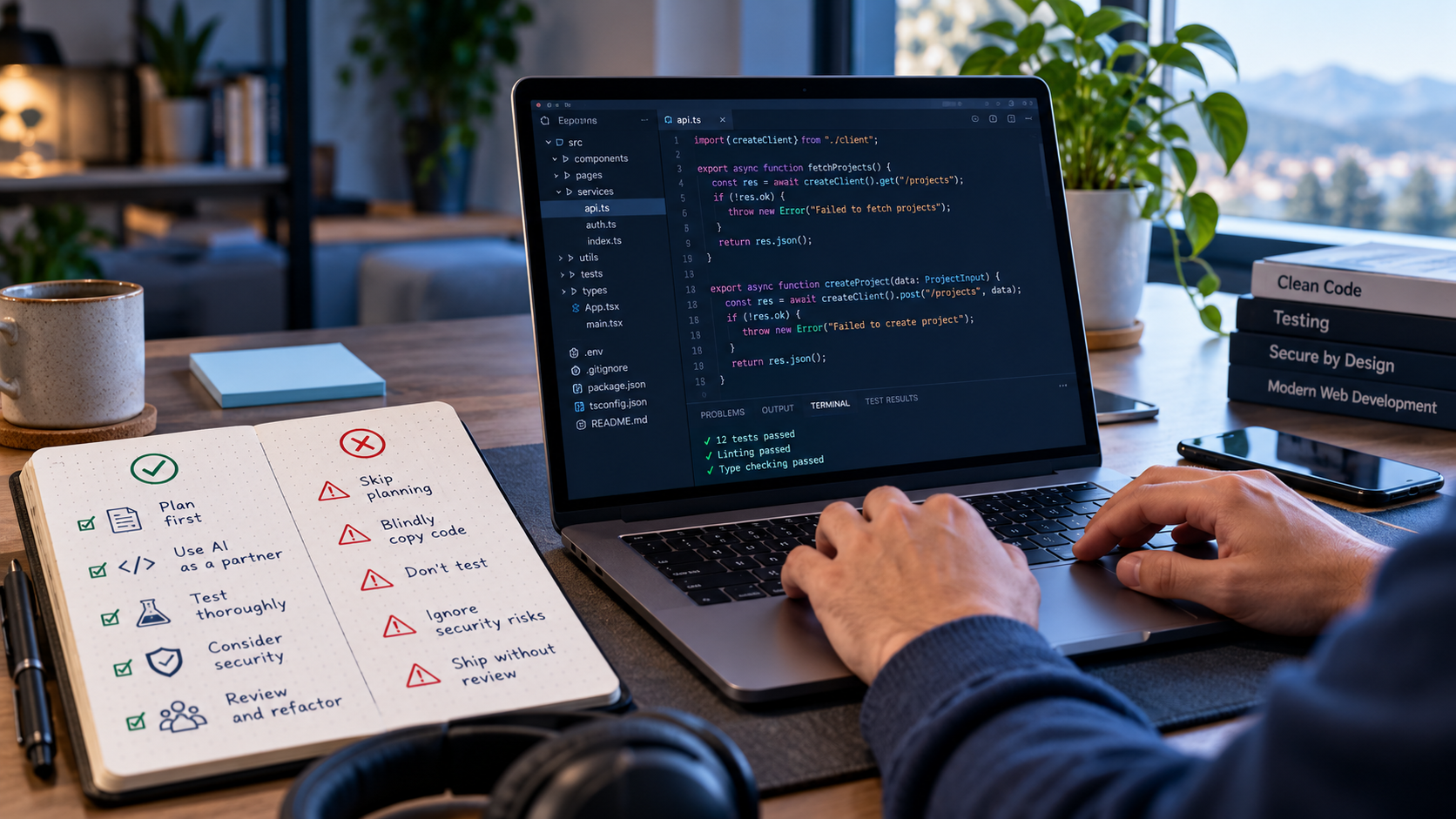
Before you build your next website or application using artificial intelligence, here are the important do's and don'ts of vibe coding.
What Is Vibe Coding?
Vibe coding is an approach to software development where a person uses natural language instructions, commonly called prompts, to guide artificial intelligence in generating and modifying code.
The term was introduced by AI researcher Andrej Karpathy in 2025.
Instead of manually writing every line of code, users describe the features, appearance, and functionality they want. AI then assists by generating the necessary programming code.
For example, someone could instruct an AI assistant:
"Create a responsive business website with a homepage, services page, contact form, and an administrative dashboard using PHP and MySQL."
The AI may generate the initial project structure, database configuration, application logic, and user interface.
This approach can significantly accelerate prototyping and development. However, generating functional-looking code does not automatically mean the application is secure, reliable, or ready for public use.
There is also an important distinction between experimenting with AI-generated code without closely examining it and using AI as an assistant within a carefully reviewed software development process.
The Do's of Vibe Coding
Following good development practices can help you make better use of AI while reducing unnecessary technical problems.
1. DO Start with a Clear Project Plan
Before asking AI to generate an application, define what you want to build.
Identify the application's purpose, intended users, required features, and preferred technologies.
For example, instead of simply asking AI to "build an online store," provide a more detailed instruction:
"Develop an online store using CodeIgniter 4 and MySQL. Include product management, shopping cart functionality, customer registration, checkout, order tracking, and an administrative dashboard."
A well-defined project scope helps AI produce more relevant and organized results.
Remember: Better instructions often lead to better initial outputs.
2. DO Build Your Application One Feature at a Time
One common mistake in AI-assisted development is requesting an entire complex system through a single prompt.
Although AI can generate large amounts of code, handling too many requirements simultaneously may introduce inconsistencies and integration problems.
A better approach is to divide development into smaller tasks.
For example, when developing a learning management system, begin with user authentication, then course management, student enrollment, lessons, assessments, and reporting.
Test each component before moving to the next.
This makes it easier to identify problems and maintain control over development.
3. DO Understand What the AI Generates
You do not necessarily need to become an expert programmer before experimenting with vibe coding.
However, understanding the fundamentals of your application is extremely valuable.
Familiarize yourself with concepts such as:
-
Frontend and backend development
-
Databases and data relationships
-
Authentication and user permissions
-
Application programming interfaces (APIs)
-
Web hosting and server configuration
-
Basic cybersecurity principles
Understanding these concepts helps you recognize incorrect AI suggestions and make better technical decisions.
AI should assist your development process, not eliminate your responsibility for understanding the system.
4. DO Test Every Important Function
Just because an AI-generated application looks professional does not mean everything works correctly.
A registration form might display successfully but fail to save user information.
A checkout page might appear functional while incorrectly calculating payments.
An administrative dashboard might expose information to unauthorized users.
Always test the actual behavior of your application, including error conditions and unexpected inputs.
For business-critical features such as payments, authentication, and personal information management, additional independent testing is essential.
5. DO Use Version Control and Maintain Backups
When working with AI, code changes can happen quickly.
Unfortunately, one incorrect modification could break functionality that previously worked.
Using a version control system such as Git allows you to track changes and restore earlier versions when necessary.
Maintain regular backups of application files and databases as well.
Before major updates, create a restore point or commit so that you can recover if something goes wrong.
6. DO Prioritize Security from the Beginning
Security should never be treated as an optional final step.
AI-generated code may contain vulnerabilities such as insecure database queries, improper access controls, inadequate input validation, or exposed configuration details.
Make sure your application follows appropriate security practices.
Protect passwords using secure hashing, validate user input, restrict access to sensitive information, and keep dependencies updated.
Use HTTPS with a properly configured SSL certificate to protect data transmitted between visitors and your website.
You should also review third-party packages recommended by AI before installing them.
7. DO Use a Separate Development Environment
Testing AI-generated changes directly on a live website can be risky.
A development or staging environment allows you to experiment, troubleshoot, and validate changes without immediately affecting your customers.
Once your application passes the required tests and security checks, you can deploy the approved version to your production hosting environment.
The Don'ts of Vibe Coding
Although AI makes development faster and more accessible, several common mistakes can lead to security issues, unexpected expenses, and unstable applications.
1. DON'T Blindly Trust AI-Generated Code
AI can produce convincing code that appears correct but contains hidden errors.
It may also suggest outdated libraries, nonexistent functions, or incorrect technical configurations.
Never assume that generated code is accurate simply because the AI presents it confidently.
Review the implementation, verify important technical claims, and test the results before accepting changes.
An application that runs successfully is not necessarily an application that works correctly or securely.
2. DON'T Share Sensitive Credentials with AI Tools
Never casually provide sensitive information such as production database passwords, private API keys, payment gateway secrets, or administrative credentials in AI conversations.
Some coding assistants can also access repository files and terminal output, potentially exposing information included in their working context.
Review the privacy policies, data-handling settings, and access permissions of your chosen AI tools.
Use environment variables or appropriate secret-management solutions, and avoid committing credentials to public repositories.
If a credential is accidentally exposed, revoke or rotate it promptly.
3. DON'T Ask AI to Change Everything at Once
Imagine having a functioning website and asking AI to redesign the homepage, modify database tables, update authentication, change payment processing, and reorganize the entire application in one operation.
Even if the result looks successful, identifying the cause of a problem becomes considerably more difficult.
Instead, request focused changes with clear boundaries.
For example:
"Improve the homepage design without modifying authentication, database structure, or existing payment functionality."
Smaller, controlled changes help protect features that already work.
4. DON'T Ignore Database Structure and Data Integrity
The database is often one of the most important components of a business application.
Poorly designed tables, incorrect relationships, and unnecessary schema changes can create serious long-term problems.
When AI suggests modifying your database, carefully inspect the changes.
For existing applications, use controlled migrations and maintain verified backups before applying structural updates.
Never allow an automated coding tool to delete or overwrite important production data without proper authorization and safeguards.
5. DON'T Assume AI Can Replace All Software Engineering Expertise
Vibe coding is useful for prototypes, internal tools, websites, and many application development tasks.
However, complex systems still require sound architecture, security planning, testing, monitoring, and ongoing maintenance.
Applications involving financial transactions, medical information, sensitive customer records, or critical business operations require particularly careful review.
AI can accelerate implementation, but experienced technical judgment remains valuable.
6. DON'T Deploy an Application Just Because It Looks Finished
A beautiful website interface does not guarantee a production-ready system.
Before publishing your application, verify that its important components work correctly.
Check mobile responsiveness, input validation, access permissions, error handling, database connectivity, logging, and backup procedures.
Test what happens when users enter invalid information, lose their internet connection, or attempt actions they are not authorized to perform.
A successful deployment should be based on verification rather than appearance alone.
7. DON'T Forget About Long-Term Maintenance
One of the biggest misconceptions about vibe coding is that software development ends when the AI finishes generating the application.
In reality, websites and applications require ongoing attention.
Programming frameworks receive updates, dependencies develop vulnerabilities, browsers change, and business requirements evolve.
Even an AI-generated application needs regular maintenance, security patches, monitoring, and reliable backups.
Building an application is only the beginning. Maintaining it is an ongoing responsibility.
Is Vibe Coding Suitable for Beginners?
Yes. Vibe coding can be an excellent starting point for individuals interested in software development.
Entrepreneurs can experiment with business ideas, students can explore programming concepts, and professionals can create prototypes or simple productivity tools.
However, beginners should treat AI-generated projects as opportunities to learn rather than shortcuts that eliminate the need for technical understanding.
Ask AI to explain the code it generates, demonstrate how functions work, and identify possible security concerns.
Over time, combining AI assistance with programming knowledge can make development more efficient and enjoyable.
Can You Build a Professional Website Using Vibe Coding?
Yes, it is possible to develop professional websites and applications with substantial AI assistance.
However, the quality of the final product depends on more than the coding method.
A professional website still needs reliable hosting, effective security, proper configuration, responsive design, and ongoing technical maintenance.
For more complex business applications, independent code review, performance testing, and security assessment should also be considered before launch.
The important question is not simply whether AI generated the website.
It is whether the resulting system meets the needs of its users and can operate reliably.
Why Reliable Web Hosting Still Matters
Whether your website is manually programmed or AI-generated, it needs an appropriate hosting environment to become accessible online.
A good hosting setup provides the infrastructure required to run your application, connect to its database, configure your domain, and serve website visitors.
When selecting a hosting provider, consider factors such as server resources, supported technologies, security features, backup options, uptime, and technical support.
Different applications have different hosting requirements. A simple business website may require fewer resources than a complex learning management system or e-commerce platform.
Choosing a suitable hosting environment helps your project grow beyond the development stage.
Final Thoughts
Vibe coding represents an exciting development in the way people create software.
It allows more individuals to turn ideas into working websites and applications without manually writing every line of code.
But faster development should not come at the expense of security, reliability, or maintainability.
The best approach is to combine the productivity of artificial intelligence with careful planning, technical understanding, proper testing, and responsible deployment practices.
Use AI to build faster, but never skip the responsibility of building correctly.
Whether you are creating your first personal website, launching a startup, or developing a business application, following these do's and don'ts can help you make better use of vibe coding.
Ready to bring your AI-built website online?
Explore domain registration and cloud hosting solutions with FourSys Cloud.
Visit https://foursyscloud.com to get started.